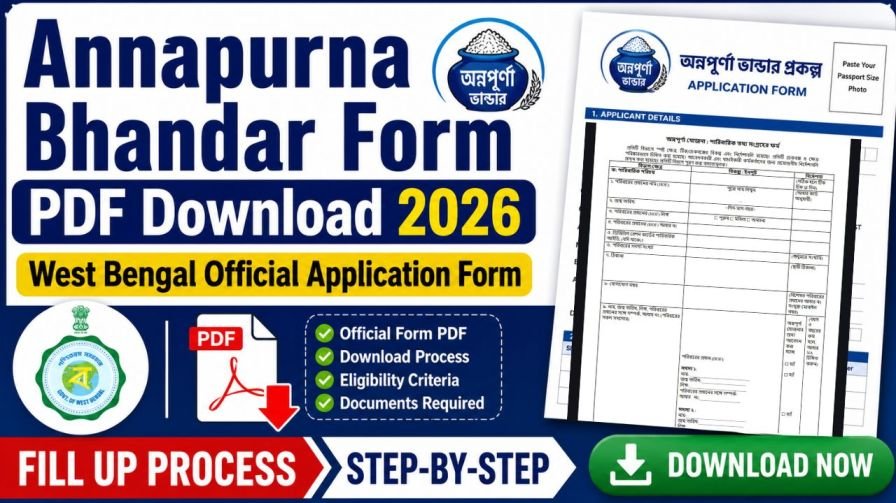
After applying for any government welfare scheme, the first question that comes to every applicant’s mind is simple — has my application been verified or not? The same is true for the Annapurna Bhandar Yojana 2026. Thousands of women across West Bengal are actively searching for the Annapurna Bhandar Verification process, verification link, and status check portal every single day.
If you have recently applied or are planning to apply for the Annapurna Bhandar Scheme and want to understand exactly how the verification works, what happens after you submit your application, and how you can track your approval and DBT payment status online — this article covers everything clearly and accurately.
What Is Annapurna Bhandar Verification?
Annapurna Bhandar Verification is the official process through which the West Bengal Government confirms whether an applicant is genuinely eligible for the scheme or not. Once a woman submits her application — either online or offline — the concerned government department goes through all the submitted information and documents to check their accuracy.
This verification step is not just a formality. It is the most important stage of the entire application process because only women who pass the verification successfully will be enrolled as official beneficiaries and start receiving the monthly Rs 3,000 directly into their bank accounts through the DBT system.
In simple terms, submitting the application is step one. Getting verified is step two. And receiving the monthly payment is step three. Without successful verification, the money will not be transferred, no matter how eligible you believe yourself to be.
Why Aadhaar–Bank Linking and NPCI Mapping Are Compulsory
The government uses the DBT system to transfer subsidies and scheme benefits directly to a beneficiary’s bank account, thereby eliminating middlemen and reducing delays. For the system to identify the correct account, your Aadhaar number must be seeded (linked) with that bank account. Furthermore, NPCI mapping ensures that the Aadhaar‑linked account is the one authorised to receive government DBT payments. Both these steps together create a seamless channel for the Annapurna Bhandar amount to reach you every month. Without them, the transfer will fail, and you may not receive your entitled benefit even if your name is on the beneficiary list.
Step 1 – How to Link Your Aadhaar Number with Your Bank Account (Aadhaar Seeding)
Aadhaar seeding can be done in two ways: offline by visiting your bank branch, or online using net banking or your bank’s mobile app.
Offline Method – Visit Your Bank Branch
- Go to the home branch of the bank where you hold the account you want to use for Annapurna Bhandar payments. Carry your original Aadhaar card and a photocopy of it, along with your bank passbook.
- Ask the bank representative for the “Aadhaar seeding” or “DBT linking” form. Some banks may simply ask you to write an application.
- Fill in your 12‑digit Aadhaar number, your bank account number, and other details as requested. Double‑check that the name on your Aadhaar exactly matches the name in your bank records.
- Submit the filled form along with a self‑attested photocopy of your Aadhaar. The bank official may also ask to see the original for verification.
- Request the staff to complete the seeding and activate your account for DBT. They will process your request, and the linking is usually completed within 2–3 working days. You may receive an SMS confirmation once it is done.
Online Method – Through Net Banking or Mobile Banking App
If you are comfortable using digital banking, you can seed Aadhaar from your home.
- Log in to your bank’s official net banking portal or mobile banking application. Never use third‑party websites.
- Look for options like “Service Requests”, “Aadhaar Services”, “Aadhaar Linking”, or “Update Aadhaar Number”. The exact name varies across banks.
- Select the account you wish to link (savings or current) and enter your 12‑digit Aadhaar number carefully.
- An OTP will be sent to the mobile number registered with your Aadhaar. Enter that OTP to verify the request.
- Submit the request. A confirmation message will appear on the screen, and you may also get an SMS or email after the seeding is processed. This typically takes 1‑3 working days.
If you face any difficulty, you can call your bank’s customer care helpline and ask for assistance with Aadhaar seeding for DBT.
Step 2 – How to Check Whether Your Bank Account Is Enabled for DBT
After Aadhaar seeding, it is essential to confirm that DBT is actually active on your account. Even though the bank has linked your Aadhaar, the NPCI mapping may not be in place, or the wrong account might be marked as the primary DBT account. Use any of the following methods to verify.
Using the myAadhaar Portal (UIDAI)
- Visit the official UIDAI myAadhaar website: myaadhaar.uidai.gov.in
- Log in with your Aadhaar number and the OTP sent to your registered mobile.
- Navigate to the “Aadhaar‑Bank Seeding Status” section under the “Aadhaar Services” or similar tab.
- The portal will display the last four digits of the bank account that is currently linked and active for DBT. If your desired account appears here, you are all set. If it shows an old or incorrect account, you must update the NPCI mapping using Step 3 below.
Other Ways to Check DBT Status
- Open your bank’s mobile app or net banking portal; look for “DBT status” or “Aadhaar seeding status”.
- Call your bank’s toll‑free customer care number. After identity verification, ask the executive whether DBT is active on your account and which account is mapped.
- Visit your bank branch directly and request a DBT status check.
Step 3 – How to Change or Update Your DBT‑Linked Bank Account on the NPCI Website
In many cases, your Aadhaar may be linked to a bank account, but you want to receive the Annapurna Bhandar money in a different account. For example, you may have a savings account with State Bank of India for general use but want the scheme benefit to go to your Punjab National Bank account. Or, you hold two accounts with the same bank and the wrong one is tagged for DBT. In such situations, you must update the NPCI mapping to set the correct account as the primary recipient of government DBT credits.
Follow these steps carefully on the official NPCI website.
- Go to the official NPCI portal. On the homepage, under the “Customer” tab, select “Bharat Aadhaar Seeding Enabler”. This tool is specifically designed for managing Aadhaar‑DBT mapping.
- On the left side of the page, choose “Request for Aadhaar Seeding/Deseeding”.
- Enter your 12‑digit Aadhaar number and select “Request for Aadhaar Seeding”. (If you want to remove an account completely from DBT, you would choose deseeding, but for receiving scheme benefits, seeding is needed.)
- Now select the bank name where you want the Annapurna Bhandar money to be deposited. For instance, select “Punjab National Bank” from the dropdown.
- Under “Seeding Type”, you will see different options. Choose according to your situation:
- If you are changing from one account to another account within the same bank, select “Movement – Same Bank with Another Account”.
- If you are switching to a different bank, select “Movement – From One Bank to Other Bank”.
- Enter the new account number in which you wish to receive the benefits. Re‑enter it to confirm. An OTP will be sent to the mobile number linked with your Aadhaar. Enter this OTP to authenticate the request.
- Tick the checkbox to agree to the terms and conditions. Complete the captcha verification and click “Submit”.
- After submission, the system will take a few working days to process the change. Once updated, you can check the status through any of the methods mentioned in Step 2 (myAadhaar portal, bank app, or branch visit) to confirm that the correct account is now showing as DBT‑enabled.
What Happens During the Annapurna Bhandar Verification Process?
Once you submit your Annapurna Bhandar application, government officials from the concerned department begin the verification process. Based on how similar West Bengal schemes like Lakshmir Bhandar have worked in the past, the verification for Annapurna Bhandar is expected to involve the following checks.
Annapurna Yojana Verification
Initiative by North 24 PGS District Administration
Identity Verification is the first step. Your Aadhaar card details will be cross-checked with the UIDAI database to confirm that the name, date of birth, and Aadhaar number you provided are correct and belong to a real, active Aadhaar holder.
Residence Verification comes next. The government will verify that your address details match the residence proof you submitted — such as your voter ID card or ration card — to confirm that you are a genuine permanent resident of West Bengal.
Income and Eligibility Check follows. Your income certificate and family details will be reviewed to ensure that your household income falls within the eligibility limit set by the scheme. Women belonging to BPL (Below Poverty Line), AAY, and PHH ration card households may be given priority during this stage.
Bank Account and DBT Eligibility Verification is a critical step. The government will verify that your bank account is active, that it is linked with your Aadhaar card, and that it is eligible to receive Direct Benefit Transfer payments. If your Aadhaar is not yet seeded with your bank account, your verification may be held up until this linking is completed.
Document Cross-Verification is the final step. All documents you submitted — your photo, bank passbook, caste certificate if applicable, and mobile number — will be reviewed for authenticity and consistency.
Annapurna Bhandar Verification for Existing Lakshmir Bhandar Beneficiaries
This is a very important point that many women may not be aware of. According to government reports, women who are already registered and receiving benefits under the Lakshmir Bhandar Yojana will not need to apply again for Annapurna Bhandar from scratch.
Such women are expected to be automatically migrated to the Annapurna Bhandar portal. Their existing data and verification records from Lakshmir Bhandar will be used to enroll them under the new scheme. However, they may still be required to go through a brief re-verification step to confirm that their bank account details, Aadhaar linkage, and residential address are still current and accurate.
If you are already a Lakshmir Bhandar beneficiary, keep your Aadhaar card, bank passbook, and active mobile number ready, as you may be contacted for a quick re-verification before the monthly Rs 3,000 payments begin under Annapurna Bhandar.
How to Check Annapurna Bhandar Verification Status Online
Once the official Annapurna Bhandar Portal is launched by the West Bengal Government, women will be able to check their verification and application status online from the comfort of their home. The process is expected to work as follows.
Step 1 — Visit the Official Annapurna Bhandar Portal
Open your mobile browser or computer and go to the official West Bengal government portal for the Annapurna Bhandar Scheme. Always make sure the website ends with .gov.in to confirm it is genuine. The scheme portal is expected to be hosted under the Department of Women and Child Development, West Bengal, or on a dedicated scheme website.
Step 2 — Find the Verification or Status Check Section
On the homepage of the portal, look for a tab, button, or link labeled “Check Application Status,” “Annapurna Bhandar Verification Status,” or “Beneficiary Verification.” Click on it to proceed.
Step 3 — Enter Your Application Number and Details
You will be asked to enter the application number you received after submitting your form, along with your registered mobile number or the last four digits of your bank account. Make sure you have saved your application number safely, as it is the key to tracking your verification progress.
Step 4 — Verify with OTP
An OTP (One-Time Password) will be sent to your registered mobile number. Enter this OTP on the portal to confirm your identity before the status is displayed.
Step 5 — Check Your Verification Result
After OTP verification, your application status will appear on the screen. The status may show one of the following results:
- Under Review — Your application has been received and is currently being checked by officials.
- Verified / Approved — Your details have been successfully verified and you are enrolled as a beneficiary. DBT payments will begin shortly.
- Pending Documents — Some documents need to be resubmitted or corrected. Check the portal for details.
- Rejected — Your application has not been approved. The reason will usually be mentioned, and you may have the option to appeal or reapply.
Annapurna Bhandar Offline Verification Process
Not all women in West Bengal have access to a smartphone or the internet, and the government is fully aware of this. For women who cannot check their verification status online, the offline route is available.
You can visit the following centres to inquire about your Annapurna Bhandar verification status in person:
Your nearest Block Development Office if you live in a rural or semi-urban area. Your nearest Municipality Office if you live in a town or city. Any government-organised camp or Gram Panchayat office that is set up specifically for Annapurna Bhandar assistance.
When you visit, carry your Aadhaar card and the application acknowledgement slip or number with you. Officials at these centres will be able to tell you the current status of your verification.
Frequently Asked Questions About Annapurna Bhandar Verification
Q1. How will I know if my Annapurna Bhandar application has been verified?
Once the official portal goes live, you can check your verification status online by entering your application number and verifying with an OTP sent to your registered mobile number. You can also visit your nearest Block Office to check in person.
Q2. Is there a separate link for Annapurna Bhandar verification?
Yes, the scheme portal is expected to have a dedicated verification status check section. The link will be available on the official West Bengal government website once the scheme is launched.
Q3. Do existing Lakshmir Bhandar beneficiaries need to go through verification again?
According to available reports, existing Lakshmir Bhandar beneficiaries will be automatically migrated to the Annapurna Bhandar portal. However, a brief re-verification of current bank and Aadhaar details may be required.
Q4. What should I do if my verification status shows Rejected?
Check the reason mentioned on the portal and correct the issue — such as resubmitting a document or completing Aadhaar-bank seeding. You may also visit your Block Development Office with original documents for further assistance.
Q5. How long does the Annapurna Bhandar verification process take?
The exact timeline will depend on the volume of applications and the speed of the government’s verification system. Based on past schemes in West Bengal, verification typically takes a few weeks after the application is submitted.
Q6. Can I check my verification status without the application number?
It may not be possible to check the status without the application number. Some portals offer an alternative search using your Aadhaar number or mobile number, but this will only be clear once the official portal is launched.
Conclusion
The Annapurna Bhandar Verification process is the most critical bridge between submitting your application and receiving your monthly Rs 3,000 financial assistance. Understanding how it works, what to expect at each stage, and how to avoid common mistakes will help you get through the process smoothly and without unnecessary delays.